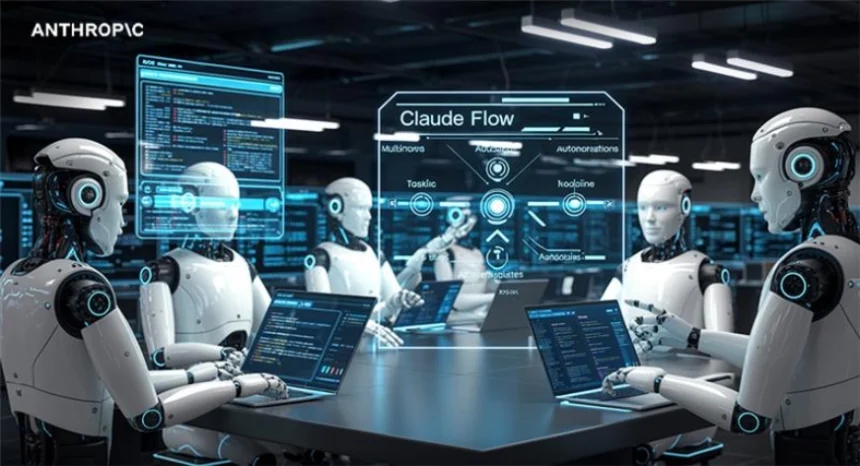
Claude Flow is an open-source orchestration framework designed to run multiple Claude agents in coordinated workflows. Instead of relying on a single LLM prompt chain, it allows developers to build systems where specialized agents collaborate, share memory, and divide complex tasks into manageable steps.
Teams building AI automation, agentic systems, or advanced developer tools can use Claude Flow to structure these multi-agent pipelines more effectively. In this article, we explain what Claude Flow is, how it works, and how you can start using it with practical examples.
What is Claude Flow?
Claude Flow functions as a multi-agent orchestration system which operates through its hierarchical structure that builds on Claude Code. The system enables AI agents to work as a swarm because each agent fulfills a designated task while a central orchestrator oversees their joint efforts. The project manager (the orchestrator) assigns work to the specialists (sub-agents) who use shared memory and structured coordination layer to communicate with each other.
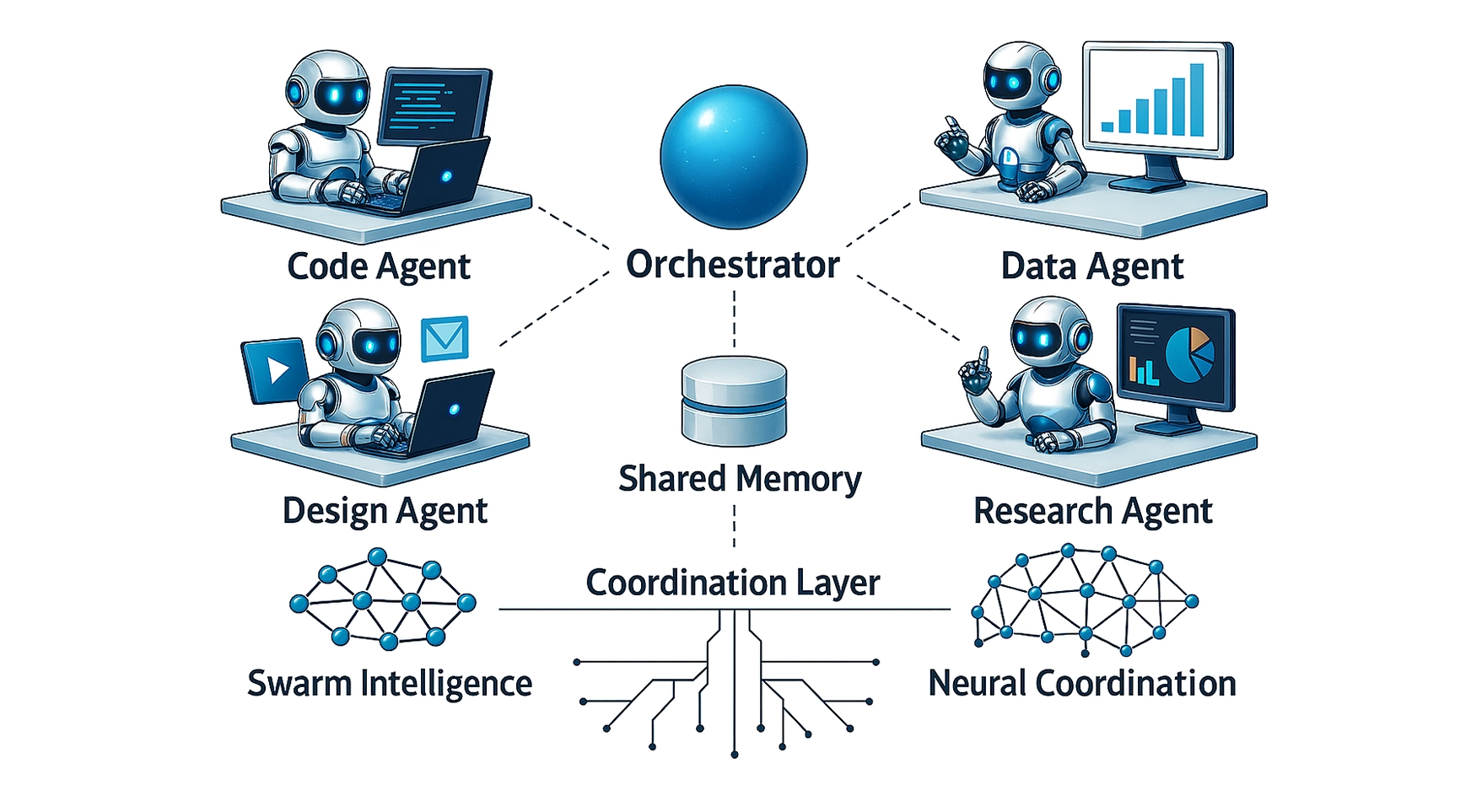
Claude Flow operates on the fundamental premise that a single AI agent fails to address the requirements of real-world tasks which need multiple agents to operate simultaneously while different agents handle distinct functions and work together to complete their tasks. The clean programmable interface of Claude Flow enables users to implement all necessary functions through its system.
The system combines swarm intelligence and neural coordination elements to create an architectural framework that enables flexible production-grade AI automation.
Key Features of Claude Flow
Claude Flow comes packaged with various functions that differentiate it from both standard LLM wrappers and basic agent frameworks.
- The system uses a queen/worker model which lets an orchestrator divide tasks into segments that it assigns to specialized sub-agents who execute their work simultaneously.
- The framework uses neural network principles to create an architecture which enables agents to communicate through their native network structure.
- The system provides direct MCP tool support which lets agents connect with external systems through APIs and databases and development tools.
- Claude Code Native runs within Claude Code because it uses its terminal-first environment to access files and execute code and use tools.
- The agents maintain asynchronous communication which enables them to update shared information while they work on multi-step processes.
How Claude Flow Works?
Understanding Claude Flow at a technical level is key to unlocking its power. The architecture operates through the following explanation:
When you submit a task to Claude Flow, the orchestrator agent receives it and decomposes it into subtasks. The system divides each subtask between various specialist agents who operate as either researchers or coders or analysts or custom roles that you designate. The agents execute their tasks either in parallel or sequentially based on your selected system topology while they store their results in a common memory space.
The orchestrator system tracks all work progress while it handles conflicts among agent work results and it combines results to create the final product. The process allows agents to create new sub-agents while they use MCP to access external tools and seek human assistance whenever necessary.
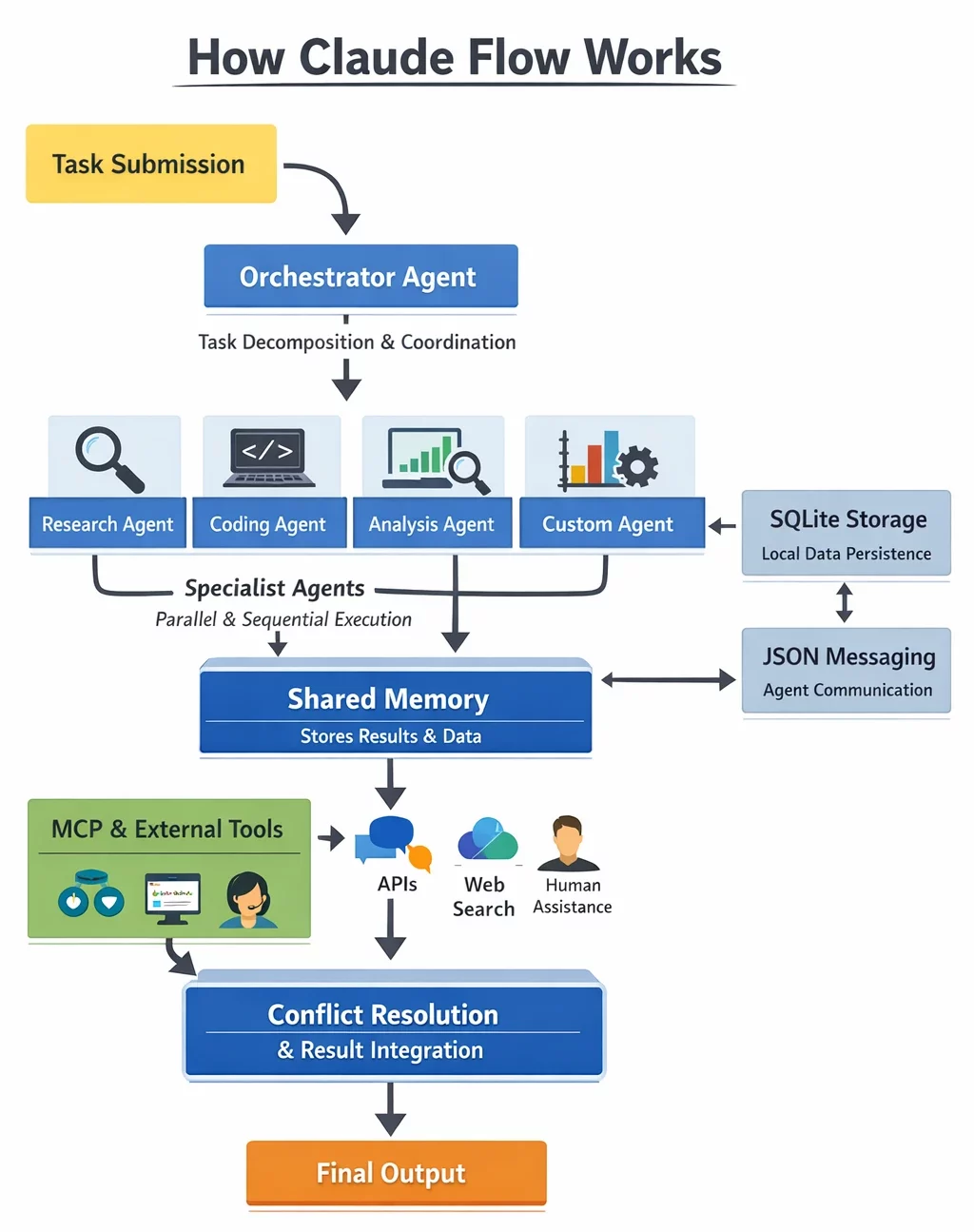
This system operates in a completely different way from a system that uses only one agent. Claude Flow uses multiple specialized agents to handle tasks because it distributes mental work between its models while a real-world team divides work obligations. The result is faster, more accurate, and more scalable task completion.
Claude Flow employs SQLite to maintain lightweight local memory persistence while using JSON-based coordination protocols for inter-agent messaging and it establishes direct connections to Claude’s tool and computer functions for actual task performance.
Getting Started with Claude Flow
Before installing Claude Flow, you need to establish the following requirements.
- Node.js v18 or higher (v22 recommended, tested on v22.12.0)
- The system requires Node.js v18 or higher with v22 as the recommended version and v22.12.0 as the tested version.
- Claude Code version 2.1.0 or higher which users can install through the command
npm install -g @anthropic-ai/claude-code- The user needs to obtain a valid Anthropic API key which provides access to Claude Sonnet and Claude Opus models.
- The user needs to have basic knowledge about using terminal and command line interfaces.
- The system requires npm version 9 or a later version.
Setup & Installation
1: Install Claude flow globally via npm using the below command
npm install -g claude-flow@alpha 2: Confirm the installation version
claude-flow --version

# Expected output: ruflo v3.5.14
3: Initialize claude flow in your project directory
npx claude-flow@alpha init –force 4: Start the background services
claude-flow init --start-all Task 1: Automated Full-Stack Web App Generation
The task requires you to create a complete task management web application which needs a React frontend and a Node.js backend plus a REST API connection to SQLite database. The procedure requires you to create the entire application through automated systems without manual programming work.
- You need to execute the following command to create your project directory which will start all of Claude Flow services:
mkdir task-app && cd task-app
npx claude-flow@alpha init –force 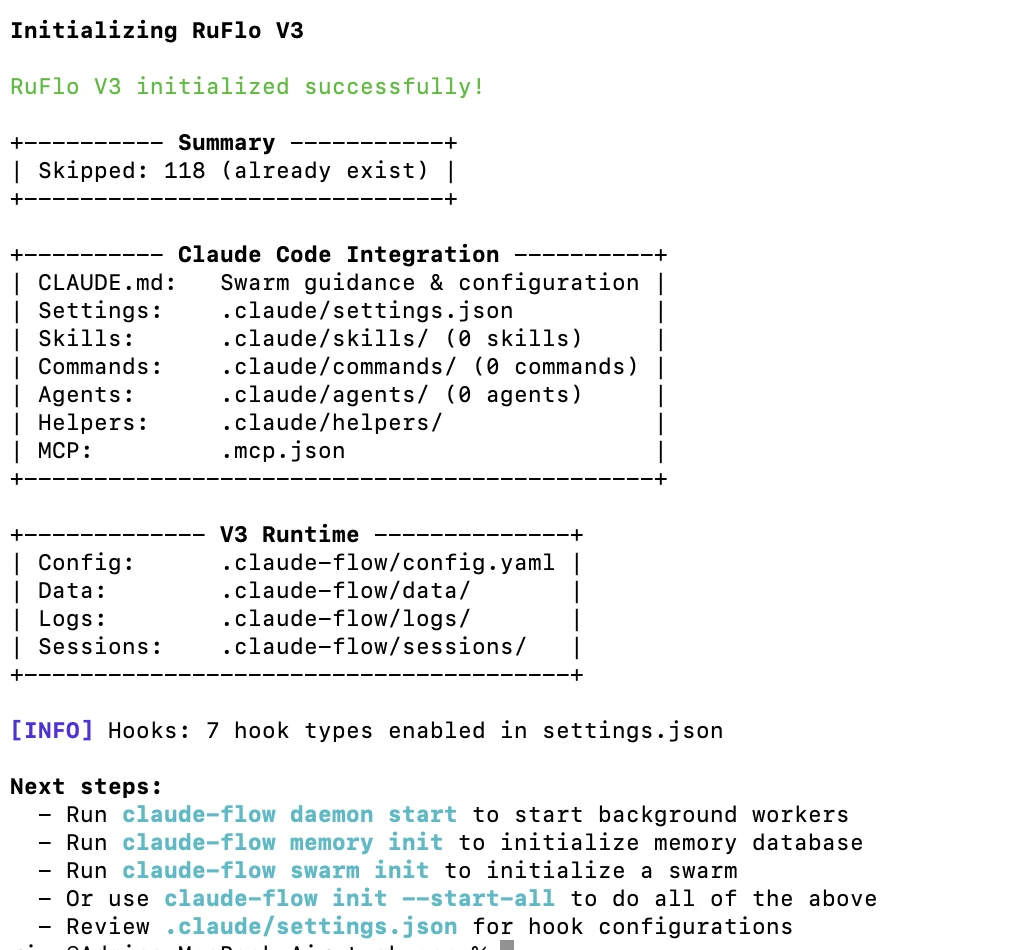
claude-flow init --start-all 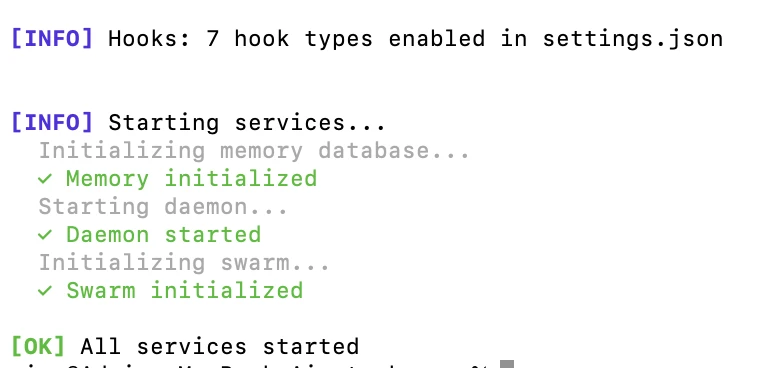
You should answer yes to the question about reinitialization. The daemon will start running and the swarm will begin with all services operational.
- You need to submit your task to Claude through the command line interface which requires you to use the Claude CLI instead of entering commands directly into the terminal.
claude "Build a full-stack task management app with a React frontend, Express backend, REST API with CRUD operations, and SQLite database. Include user authentication and a clean UI." 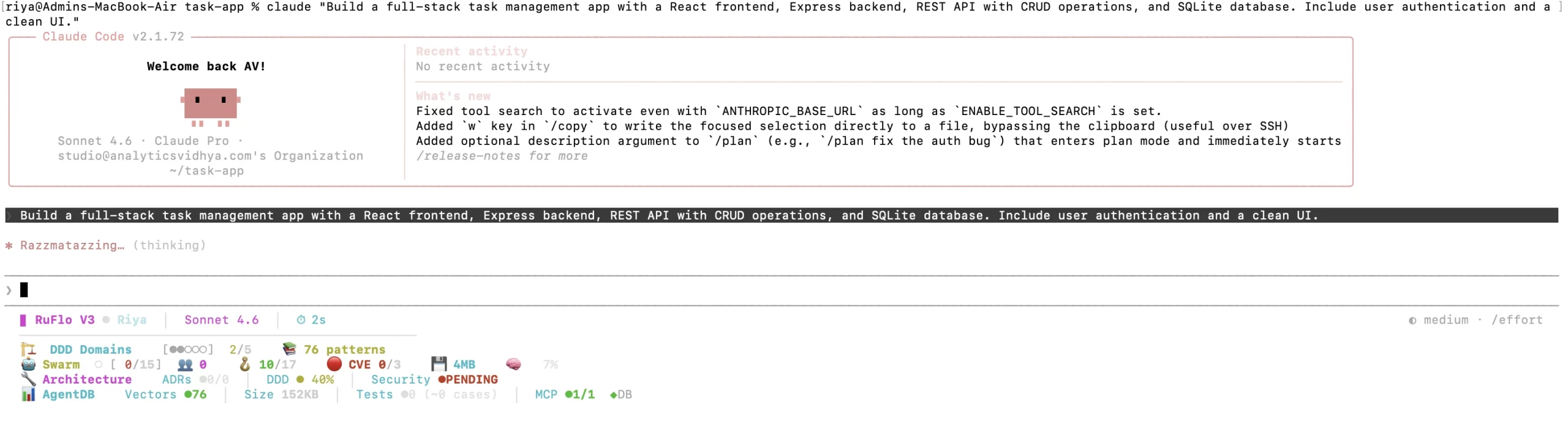
Common mistake to avoid: Don’t paste the prompt directly into the terminal shell, it will try to run each word as a command. Always wrap your prompt in quotes and pass it to Claude.
- The system creates new agents which will now start operating. The system establishes two different tasks that it needs to complete through the following two activities:
- The Frontend Agent will create the React application by producing its essential components and routing system.
- The Backend Agent will develop the Express server together with its application programming interfaces.
- The Database Agent will establish the database structure and set up SQLite database system.
- The Auth Agent will create the authentication system using JSON Web Tokens.
- The Testing Agent will create both unit and integration tests.
- The agents execute their tasks simultaneously. The agents save their results through both file storage and shared memory access. The system administrator manages the system by linking the frontend interface with the application program interface while connecting the database system and fixing all system conflicts.
- The complete project including a README file and setup documentation plus all source code files is generated by Claude Flow as its final output. The process that might have taken weeks for a developer to finish, is done in a few minutes.
Hands-On Task 2: Deep Multi-Source Research and Report Generation
In this task, the competitive analysis report you are creating examines AI orchestration frameworks which include Claude Flow, LangChain, AutoGen, and CrewAI and requires you to gather organized and referenced information.
The step-by-step process with Claude Flow requires you to first start the software by using web search tools which you can enable through the MCP interface.
- First you need to start the web search tools of Claude Flow before you run the following command through your terminal.
claude-flow daemon start
claude-flow swarm init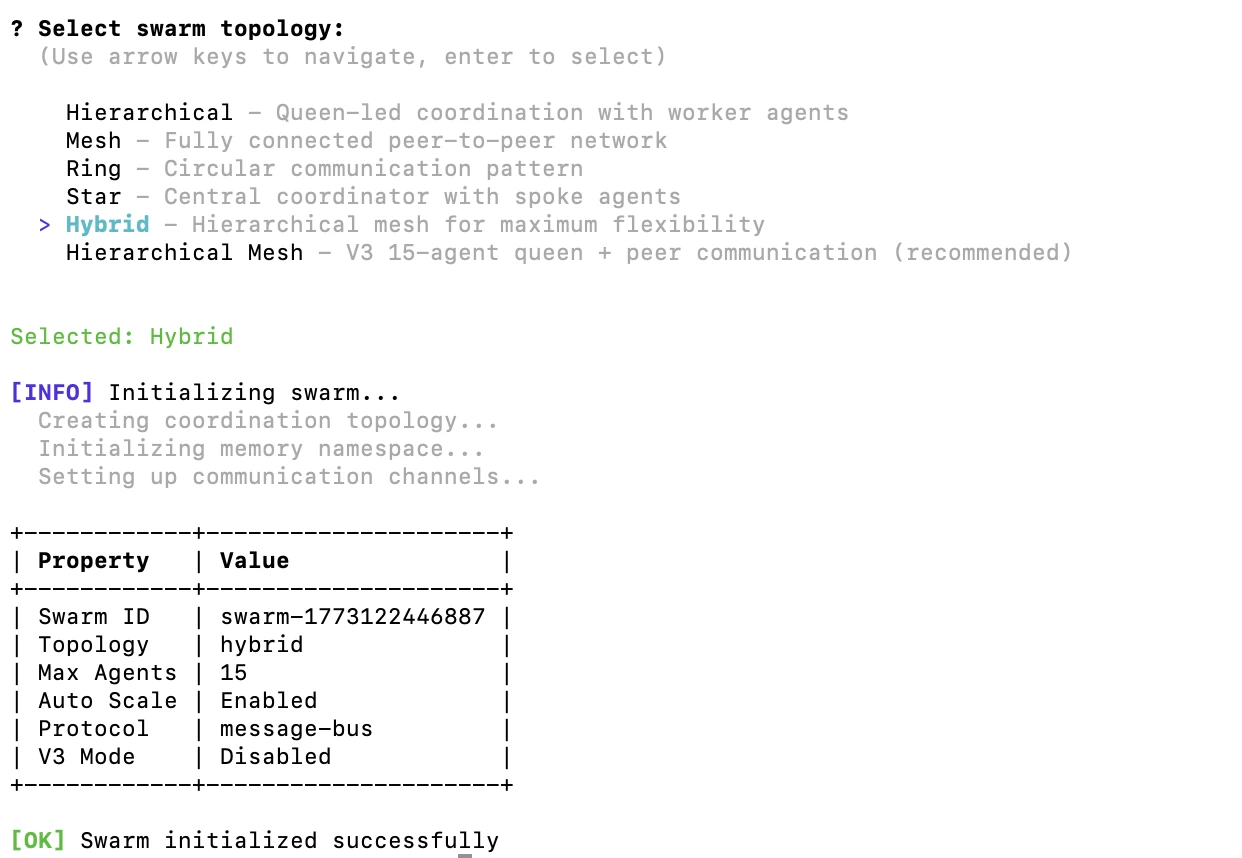
The research task should be submitted through the claude CLI by using the following command.
- The study will compare Claude Flow, LangChain, AutoGen, and CrewAI through their architectural design and performance metrics and user experience and community backing and actual application scenarios.

- The system sends agents to conduct their research work in separate locations.
- Research Agent A searches and reads documentation for Claude Flow
- Research Agent B covers LangChain’s architecture and benchmarks
- Research Agent C pulls information on AutoGen’s multi-agent capabilities
- Research Agent D analyzes CrewAI’s coordination model Synthesis Agent aggregates all agent outputs from shared memory
- The synthesis agent organizes the results through its analysis of major differences which it presents in a Markdown-formatted comparative document that contains a summary table of advantages and disadvantages
- The system operator conducts an ultimate quality assessment while completing missing work before storing the results as competitive_analysis.md.
The typical process for this task requires about three hours which includes reading materials and switching between browser tabs and taking notes through manual methods. The Flow system of Claude Flow generates high-quality results through a coordinated process that requires only a short time to complete.
Advantages and Disadvantages of Claude Flow
To sum it up, here are the pros and cons of Claude Flow:
| Aspect | Advantages of Claude Flow | Disadvantages of Claude Flow |
| Performance | Runs multiple agents simultaneously, enabling faster task completion than single-model workflows. | Multiple agents increase API requests, which can raise costs during large or long-running workflows. |
| Output Quality | Specialized agents focus on specific tasks, improving output quality. | Outputs can vary between runs due to LLM non-determinism. |
| Scalability | Scales easily by adding more agents for simple scripts or enterprise workflows. | Larger swarms require careful tuning to manage cost and performance. |
| Flexibility | Supports custom agent roles, tools, and workflow topologies. | More configuration and orchestration complexity during setup. |
| System Design | Distributes tasks across agents, reducing context overload on a single model. | Debugging becomes harder because issues may span multiple agents and shared memory. |
| Ecosystem | Includes production-ready features like memory persistence, tools, and error handling. | Depends on Claude Code, limiting compatibility with other LLM providers. |
Conclusion
Claude Flow is a framework designed to build and deploy advanced multi-agent AI systems. It combines hierarchical agent orchestration with shared memory to enable coordinated automation. Developers can use it to build full-stack applications, conduct large-scale research, and automate complex workflows. Its multi-agent design improves speed, scalability, and task specialization.
As agentic AI continues evolving, frameworks like Claude Flow will become critical infrastructure. Start experimenting by setting up the system and running practical workflows. Over time, you can build autonomous pipelines that continue working in the background.
Frequently Asked Questions
A. Claude Flow is an open-source framework that orchestrates multiple Claude agents to collaborate on complex tasks using shared memory, specialized roles, and coordinated workflows.
A. Claude Flow splits tasks into subtasks, assigns them to specialized agents, and coordinates their work through an orchestrator that merges outputs into a final result.
A. Claude Flow can automate tasks such as full-stack app development, research analysis, data pipelines, and other workflows that benefit from coordinated multi-agent AI systems.

Data Science Trainee at Analytics Vidhya
I am currently working as a Data Science Trainee at Analytics Vidhya, where I focus on building data-driven solutions and applying AI/ML techniques to solve real-world business problems. My work allows me to explore advanced analytics, machine learning, and AI applications that empower organizations to make smarter, evidence-based decisions.
With a strong foundation in computer science, software development, and data analytics, I am passionate about leveraging AI to create impactful, scalable solutions that bridge the gap between technology and business.
📩 You can also reach out to me at [email protected]
Login to continue reading and enjoy expert-curated content.